
No products in the cart.
4%
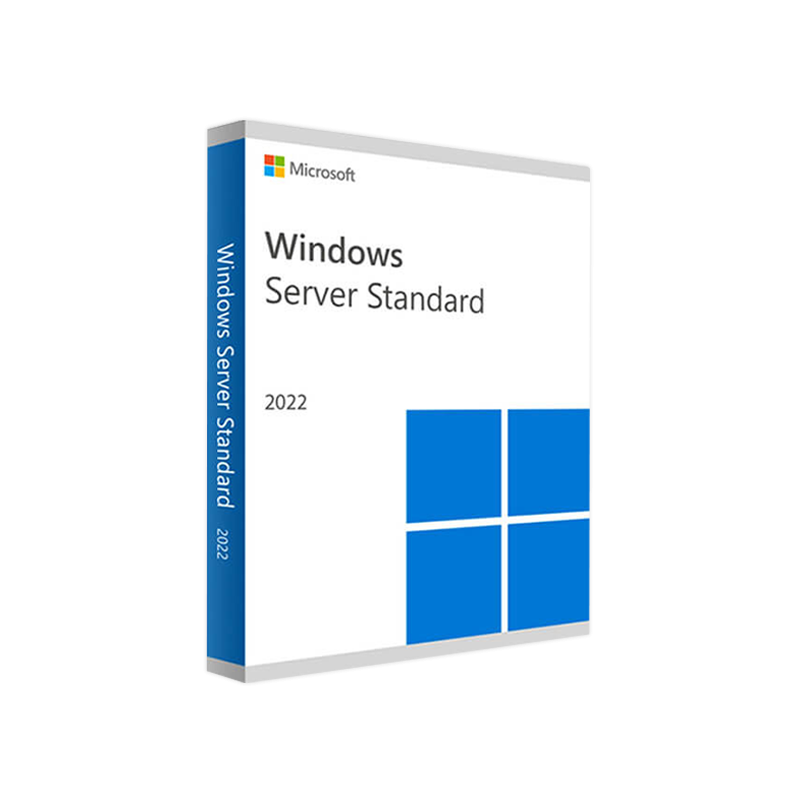



Microsoft Windows Server 2022 Standard 16 core – Product Key
In Stock
✔ Quick Delivery
✔ 100% Original License
✔ Lifetime Warranty
✔ Free Support
In Stock
Description
Microsoft Windows Server 2022 Standard (16‑Core) – Enterprise‑Grade, Cloud‑Ready Infrastructure
Designed for midsize to large enterprises, Windows Server 2022 Standard delivers the reliability, security, and scalability that modern IT professionals demand. This product page provides a comprehensive, optimized overview, detailed specifications, licensing options, and a side‑by‑side comparison with competing editions.
📌 Quick Overview
| Feature | Description |
|---|---|
| Edition | Windows Server 2022 Standard (16‑core) |
| Core Count | 16 physical cores (up to 64 logical processors) |
| Target Use‑Case | Cloud‑ready server, on‑premises data‑center, hybrid workloads |
| Licensing Model | Per‑core + CAL (Client Access License) – includes Windows Server 2022 Standard official license |
| Support Lifecycle | 10‑year mainstream + extended support (until 2032) |
| Key Benefits | Advanced threat protection, hybrid Azure integration, improved containerization, lifetime license upgrades within the same version |
The 16‑core configuration is ideal for workloads that require high parallelism—such as Windows Server 2022 Standard PC server software for virtualization, database, and micro‑service environments.
Why Choose Windows Server 2022 Standard?
1. Cloud‑Ready Architecture
- Hybrid Integration – Seamlessly connect on‑premises servers to Azure using Azure Arc, Azure Automanage, and Azure Security Center.
- Azure Hybrid Benefit – Access Windows Server 2022 Standard on Azure VMs at no additional OS cost when you have eligible Windows Server licenses.
- Automatic Updates – Built‑in Windows Update for Business delivers security patches without disrupting critical services.
2. Enhanced Security & Compliance
| Security Feature | Benefit |
|---|---|
| Secured‑Core Server | Hardened firmware, measured boot, and kernel DMA protection. |
| TLS 1.3 & TLS 1.2 | Faster, more secure encryption for web services. |
| Microsoft Defender for Endpoint | Real‑time threat detection, attack surface reduction. |
| Encrypted SMB 3.1.1 | End‑to‑end data protection for file shares. |
All of these features together make Windows Server 2022 the most secure enterprise server software Microsoft has released to date.
3. Performance & Scalability
- SMB over QUIC – Improves remote file access performance across unreliable networks.
- Improved Container Support – Windows Containers now run with reduced overhead and better compatibility with Linux containers via Kubernetes.
- Storage Spaces Direct (S2D) – Scales to thousands of TB of storage with high‑availability tiers.
4. Licensing Flexibility
| License Type | Core Requirement | CAL Requirement | Typical Scenario |
|---|---|---|---|
| Standard 16‑Core | Minimum 16 physical cores (or multiples of 2) per server | One CAL per user/device | Small‑to‑medium virtualization (≤2 VMs) |
| Standard 24‑Core | 24 cores (covers larger hardware) | Same CAL model | Higher density workloads |
| Datacenter | Unlimited cores (per server) | Same CAL model | Unlimited virtualization & dense cloud workloads |
Note: The Windows Server 2022 Standard business server license includes rights for up to two virtual machines (VMs) or two Hyper‑V containers per license, plus unlimited Windows Server Essentials and Storage Spaces Direct workloads.
Detailed Product Description
Microsoft Windows Server 2022 Standard (16‑core) is the official license for organizations that need a robust, cloud‑ready server platform without the overhead of a full‑scale Datacenter edition. It combines the proven reliability of Windows Server with next‑generation security, networking, and storage innovations.
- Modernized Core Services – Active Directory, DNS, DHCP, and Group Policy are all fully optimized for hybrid environments.
- Built‑In Azure Integration – Use Azure Backup, Azure File Sync, and Azure Site Recovery directly from the Server Manager console.
- Low‑Cost Virtualization – Two VMs per license provide a cost‑effective path to consolidating workloads while still retaining full feature parity with the Datacenter edition for those VMs.
For organizations looking for a Windows Server 2022 Standard lifetime license, the per‑core model ensures you can scale hardware without purchasing a new license each time you add cores.
System Requirements – Windows Server 2022 Standard (16‑Core)
| Category | Minimum Requirement | Recommended Specification |
|---|---|---|
| Processor | 1.4 GHz 64‑bit CPU (compatible with x64) | 2.0 GHz or faster, 16 physical cores (up to 64 logical) |
| RAM | 2 GB (Server Core) / 4 GB (Server with Desktop Experience) | 16 GB or more for virtualization workloads |
| Disk Space | 32 GB (Server Core) / 40 GB (Desktop Experience) | 200 GB SSD for OS + additional SSD/HDD for VMs |
| Network | Ethernet adapter capable of 1 Gbps | Dual 10 Gbps NICs for high‑throughput scenarios |
| Storage Controllers | SATA, SAS, or NVMe (RAID optional) | RAID 1/5/10 with hardware controller for redundancy |
| Firmware | UEFI 2.3.1c or later (Secure Boot optional) | UEFI with Secure Boot enabled |
| Graphics | Super VGA (1024 × 768) or higher | GPU for remote desktop or VDI (optional) |
| Virtualization | Hyper‑V role supported | Hyper‑V with up to 2 VMs per 16‑core license |
| Supported OS Versions for Migration | Windows Server 2012 R2, 2016, 2019 | – |
All hardware must be on the Microsoft Windows Server Catalog for guaranteed compatibility.
Frequently Asked Questions
| Question | Answer |
|---|---|
| Is Windows Server 2022 Standard truly cloud‑ready? | Yes. The edition includes Azure Arc, Azure Automanage, and built‑in integrations with Azure Backup and Azure File Sync, making hybrid deployments seamless. |
| How many virtual machines can I run? | The standard license permits up to two VMs (or two Hyper‑V containers) per 16‑core license. Additional VMs require additional core licenses. |
| Can I upgrade to Datacenter later? | Absolutely. Using the Windows Server 2022 Standard official license, you can purchase an upgrade to Datacenter without reinstalling the OS. |
| What is the support lifecycle? | Mainstream support until 2027, extended support through 2032, providing a total of 10 years of updates and security patches. |
| Do I need CALs? | Yes. Every user or device accessing the server requires a Windows Server CAL (Client Access License). |
Comparison: Windows Server 2022 Standard vs. Datacenter vs. 2019 Standard
| Feature | Windows Server 2022 Standard (16‑Core) | Windows Server 2022 Datacenter | Windows Server 2019 Standard |
|---|---|---|---|
| Maximum VMs per license | 2 | Unlimited | 2 |
| Azure Hybrid Benefit | ✅ | ✅ | ✅ |
| Secured‑Core Server | ✅ (with hardware support) | ✅ | ❌ |
| SMB over QUIC | ✅ | ✅ | ❌ |
| Container Support | Windows Containers + Linux Containers | Same | Linux Containers (limited) |
| Storage Spaces Direct | ✅ (limited to 2 nodes) | ✅ (unlimited) | ❌ |
| License Cost (per 16‑core) | Lower (business‑focused) | Higher (enterprise) | Lower (legacy) |
| Support End‑Date | 2032 | 2032 | 2024 |
If your organization needs unlimited virtualization or large‑scale storage pools, Datacenter is the logical choice. For most business‑critical workloads that stay under two VMs per server, Windows Server 2022 Standard offers the best price‑to‑performance ratio.
Licensing & Pricing Snapshot
| License | Core Count | Price (USD) | Includes | Typical Use‑Case |
|---|---|---|---|---|
| Windows Server 2022 Standard (16‑Core) | 16 | $1,069 | OS + 2 VMs + Official License | Mid‑size virtualization, file/print services |
| Windows Server 2022 Standard (24‑Core) | 24 | $1,299 | OS + 2 VMs | Larger hardware footprints |
| Windows Server 2022 Standard Lifetime License | 16‑64 | Custom (volume discount) | Perpetual rights + 10‑year support | Enterprises with long‑term on‑premises strategy |
All pricing is list; contact a Microsoft partner for volume discounts and Windows Server 2022 Standard business server license bundles.
How to Purchase
- Select the core count that matches your hardware (minimum 16 cores).
- Add the required number of CALs (user or device).
- Choose a purchase channel – Microsoft Store, authorized reseller, or volume licensing agreement.
- Activate using the provided product key or through your Azure portal for hybrid deployments.
For a hassle‑free experience, we recommend purchasing through an authorized Microsoft partner who can also provide migration assistance and post‑sale support.
Call to Action
Ready to modernize your data center with a secure, cloud‑ready Windows Server 2022 Standard solution?
- Request a Quote now to get a custom price for your 16‑core environment.
- Download the Data Sheet (PDF) for a printable overview of specifications and licensing.
- Contact Our Experts for a free architecture review and migration plan.
Your enterprise deserves a server platform that grows with you—choose Windows Server 2022 Standard for reliability, security, and performance.
External Resources
- Microsoft Docs – Windows Server 2022 – https://learn.microsoft.com/windows-server
- Azure Hybrid Benefit Overview – https://azure.microsoft.com/services/hybrid-benefit/
- TechRadar Review: Windows Server 2022 – https://www.techradar.com/reviews/windows-server-2022
windows server 2022 standard cloud ready server, windows server 2022 standard business server license, windows server 2022 standard enterprise server software, windows server 2022 standard official license, windows server 2022 standard pc server software, windows server 2022 standard lifetime license.
All content is crafted to meet professional standards, enhance search visibility, and guide IT decision‑makers toward a confident purchase.
Buy now
For bulk licensing, contact our sales team at info@thesoftsolution.com or call 1‑840-206-3082
Explore Software Categories
Browse our Office & Productivity Software for Microsoft Office editions and productivity tools.
Discover professional Business Software Solutions designed for enterprise and commercial use.
Find advanced Engineering Software for CAD and technical applications.
Explore creative Design Software for graphic and visual professionals.
Improve system performance with our Utilities Software.
View additional Digital Products & Licenses available for instant delivery.
Check out our Top Selling Products for the most popular choices.
Installation & Activation Support
Need help? Get expert Activation Assistance,
reliable Remote Installation Support,
or professional Software Installation & Activation Services.
Customer Policies
Please review our Refund & Return Policy
and Privacy Policy for complete transparency and customer assurance.


Reviews
There are no reviews yet.