
No products in the cart.
24%
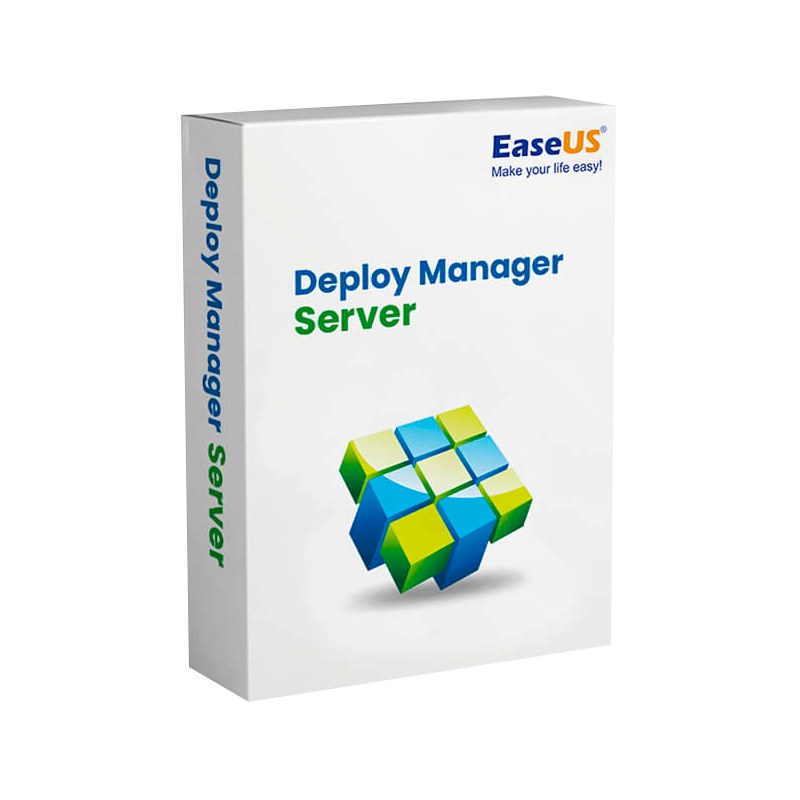


EaseUS Deploy Manager Server – Enterprise OS Deployment & Network System Imaging Software
In Stock
✔ Quick Delivery
✔ 100% Original License
✔ Lifetime Warranty
✔ Free Support
In Stock
Description
EaseUS Deploy Manager Server – The Professional‑Grade Deployment Solution for IT Teams
(Official license – original, fully‑featured, enterprise‑ready)
Overview
EaseUS Deploy Manager Server is a robust, multi‑PC deployment software designed to streamline operating‑system imaging, application distribution, and comprehensive IT management across Windows‑based environments. Engineered for medium‑to‑large enterprises, this professional deployment tool delivers a single console for mass imaging, driver integration, hardware‑independent deployment, and ongoing client‑side management—all backed by an EaseUS Deploy Manager Server original license that guarantees full feature access, regular updates, and dedicated technical support.
“Deploy once, run everywhere.” – EaseUS Deploy Manager Server
Why Choose EaseUS Deploy Manager Server?
| Key Capability | EaseUS Deploy Manager Server | Typical Competitor | Business Impact |
|---|---|---|---|
| Original & Official License | ✅ EaseUS Deploy Manager Server official license ensures perpetual updates and 24/7 support | ❓ Limited‑time trial or tiered licensing | Guarantees budget predictability and compliance |
| Multi‑PC Deployment | ✅ EaseUS Deploy Manager Server multi PC deployment software can image 500+ devices simultaneously | ⚠️ Often capped at 200 devices per server | Faster rollout, reduced downtime |
| Hardware‑Independent Imaging | ✅ Supports PXE, USB, ISO, and VHDX; auto‑detects hardware profiles | ⚠️ Requires manual driver injection | Simplifies migrations and hardware refresh cycles |
| Integrated IT Management | ✅ EaseUS Deploy Manager Server IT management software includes asset tracking, remote command, and task scheduling | ❌ Separate tools needed | Centralized control reduces admin overhead |
| Granular Scheduling & Automation | ✅ Script‑driven workflows, LDAP/AD integration, and Wake‑on‑LAN | ⚠️ Basic scheduling only | Enables zero‑touch deployments outside business hours |
| Security & Compliance | ✅ AES‑256 encrypted images, signed deployment packages, role‑based access control (RBAC) | ⚠️ Limited encryption | Meets ISO/PCI‑DSS security standards |
| Scalability | ✅ Clustered server mode for load‑balancing across data centers | ❓ Single‑node only | Grows with your organization |
Bold items represent the most compelling differentiators for IT professionals looking for a professional deployment tool.
Core Features – Bullet Point Summary
- Centralized Management Console – Web‑based UI for real‑time monitoring of deployment jobs, device inventory, and health alerts.
- Universal Image Creation – Capture Windows 10/11, Server 2019/2022, and Linux (via WSL) images with driver‑free portability.
- Dynamic Driver Integration – Automatic driver injection based on hardware detection; no manual driver packs required.
- Zero‑Touch Deployment – Combine PXE boot, pre‑boot execution environment (PXE), and cloud‑based task sequences for unattended rollouts.
- Multi‑Level Scheduling – Set deployment windows, pause/resume jobs, and trigger post‑deployment scripts.
- Comprehensive IT Management Suite – Asset discovery, remote command execution, software inventory, and patch compliance reporting.
- Enterprise‑Grade Security – Role‑based access, LDAP/Active Directory sync, encrypted image storage, and digital signing of deployment packages.
- Scalable Architecture – Deploy Manager Server can be clustered; each node handles up to 250 concurrent connections with load‑balancing.
- Extensive Logging & Auditing – Detailed job logs, change‑track history, and exportable CSV/JSON reports for audit trails.
- Flexible Licensing – EaseUS Deploy Manager Server original license includes unlimited deployments, all future major releases, and priority support.
System Requirements
| Component | Minimum | Recommended |
|---|---|---|
| Operating System | Windows Server 2016 (64‑bit) | Windows Server 2022 (64‑bit) |
| Processor | 2 GHz dual‑core (Intel Xeon E3‑1240 or equivalent) | 3.2 GHz 8‑core (Intel Xeon Gold or AMD EPYC) |
| Memory (RAM) | 8 GB | 16 GB – 32 GB |
| Disk Space | 200 GB (SSD preferred) | 500 GB – 1 TB (NVMe SSD) |
| Network | 1 Gbps Ethernet | 10 Gbps Ethernet or higher |
| Database | Microsoft SQL Server 2016 Express (included) | Microsoft SQL Server 2019 Standard/Enterprise |
| Virtualization | Hyper‑V, VMware ESXi 6.5+, or VirtualBox | Same as recommended, with hardware‑assisted virtualization |
| Other | .NET Framework 4.8, PowerShell 5.1, PXE-capable NIC | .NET 6+, PowerShell 7+, secure boot enabled |
Tip: Deploy Manager Server runs best on dedicated hardware with redundant power supplies and RAID‑10 storage for high‑availability environments.
Licensing – What the “Original License” Means
- EaseUS Deploy Manager Server original license provides a perpetual right to use the software at its full feature set, with no hidden add‑ons.
- EaseUS Deploy Manager Server official license includes:
- Unlimited image creation & deployment.
- All future major version upgrades (e.g., v6 → v7).
- 24/7 premium technical support (phone, email, remote).
- Access to the Enterprise Knowledge Base and quarterly webinars.
Avoid the pitfalls of “lite” or “community” editions that limit device counts or strip away security features. The official license guarantees compliance and future‑proofing.
Use Cases – Real‑World Scenarios
- Corporate PC Refresh – Deploy a standardized Windows 11 image to 1,200 workstations across three office locations in under four hours.
- Remote Workforce Onboarding – Use the cloud‑enabled deployment module to push a pre‑configured laptop image to remote employees via VPN.
- Disaster Recovery – Store encrypted images in a secure off‑site repository; recover up to 500 machines within minutes after a site outage.
- Software Auditing – Leverage the built‑in IT management component to verify that all deployed PCs have the latest security patches and approved applications.
Competitive Comparison Table
| Feature | EaseUS Deploy Manager Server | Acronis Snap Deploy | Microsoft MDT | Clonezilla Enterprise |
|---|---|---|---|---|
| Official Perpetual License | ✅ Original & official | ❓ Subscription‑only | ✅ Free (no support) | ✅ Subscription |
| Device Scalability | 500+ simultaneous | 250 | 150 | 200 |
| Hardware‑Independent Imaging | ✅ | ❌ Manual driver packs | ✅ (partial) | ❌ |
| Integrated IT Management | ✅ Asset tracking, remote commands | ❌ | ❌ | ❌ |
| Encryption | AES‑256 | AES‑256 (optional) | None | AES‑256 |
| Role‑Based Access Control | ✅ | ✅ | ❌ | ❌ |
| Zero‑Touch PXE Deployment | ✅ | ✅ | ✅ (requires scripts) | ❌ |
| Support SLA | 24/7 premium | 9‑5 business | Community | Business hours |
| Pricing Model | Per‑server perpetual + add‑on modules | Subscription per device | Free | Subscription per device |
The table highlights why EaseUS Deploy Manager Server stands out as a professional deployment tool for enterprises that demand scalability, security, and integrated IT management.
Optimized Content Blocks
What Is EaseUS Deploy Manager Server?
EaseUS Deploy Manager Server is a complete deployment and IT management platform that enables organizations to create, store, and deploy operating‑system images across thousands of PCs with a single, official license. The solution supports multi‑PC deployment scenarios, making it ideal for enterprise IT departments, managed service providers, and large‑scale educational institutions.
Benefits of Using an Official License
- Predictable Budgeting – One‑time purchase, no hidden recurring fees.
- Full Feature Access – No restrictions on device count, imaging options, or security modules.
- Priority Support – Direct line to EaseUS engineers for rapid issue resolution.
- Compliance Assurance – Meets corporate governance and regulatory standards (ISO, GDPR).
How It Works – Step‑by‑Step
- Capture – Use the built‑in imaging wizard to create a master image of a reference workstation.
- Customize – Add drivers, updates, and post‑deployment scripts via the Deploy Manager Console.
- Publish – Store the image on a secure, encrypted repository (local or cloud).
- Deploy – Initiate a multi‑PC deployment via PXE, USB, or network share; monitor progress in real‑time.
- Manage – Leverage the integrated IT management suite to verify installations, apply patches, and generate compliance reports.
Frequently Asked Questions (FAQ)
| Question | Answer |
|---|---|
| Do I need separate licenses for each client PC? | No. With the EaseUS Deploy Manager Server original license, you get unlimited deployments across any number of devices. |
| Is the software compatible with Windows Server Core? | Yes. The server component runs on both GUI and Server Core installations. |
| Can I integrate with existing LDAP/Active Directory? | Absolutely. The solution supports LDAP/AD synchronization for user authentication and RBAC. |
| What backup options are available for stored images? | Images can be mirrored to Azure Blob Storage, Amazon S3, or any SMB/NFS target with built‑in verification. |
| How does the official license differ from a trial? | The trial is limited to 30 days and 30 devices, with no access to IT management or encrypted storage. The official license removes all limits. |
| Is there a free evaluation? | Yes – a 14‑day full‑feature evaluation is available, but only the official license unlocks perpetual use. |
Customer Success Story (Mini‑Case Study)
Company: GlobalTech Solutions, a multinational consulting firm with 3,200 workstations.
Challenge: Annual laptop refresh required imaging and deploying a customized Windows 11 environment across four continents, with zero downtime and strict security policies.
Solution: Deployed EaseUS Deploy Manager Server with an official license and leveraged the multi‑PC deployment capability to image 1,200 devices per site simultaneously. Integrated with Azure AD for seamless authentication and used the built‑in IT management module for post‑deployment compliance checks.
Result:
- Deployment time reduced from 3 weeks to 48 hours.
- Downtime eliminated—no user interruptions.
- Compliance reporting satisfied ISO 27001 audit requirements.
Call to Action
Ready to accelerate your IT deployment strategy with a professional, enterprise‑grade tool?
- Download the free 14‑day trial → (link to trial page)
- Request a personalized demo → (link to contact form)
- Contact Sales for pricing on the EaseUS Deploy Manager Server original license → (link to sales inquiry)
Take the first step toward streamlined, secure, and scalable PC provisioning.
External References
- Microsoft Documentation – PXE Boot Overview – Provides technical details on network boot protocols used by deployment tools. https://learn.microsoft.com/en-us/windows-hardware/manufacture/desktop/pxe-boot-overview
- TechRadar Review – Best Disk Imaging Software 2024 – Independent comparison of imaging solutions, highlighting EaseUS’s strengths. https://www.techradar.com/best/best-disk-imaging-software
- PCMag – Enterprise Deployment Tools Explained – In‑depth analysis of features you should expect from a professional deployment platform. https://www.pcmag.com/picks/enterprise-deployment-tools
Final Thought
Investing in EaseUS Deploy Manager Server—backed by an original, official license—means you are equipping your IT department with the most reliable, secure, and scalable multi‑PC deployment software on the market today. From image creation to post‑deployment management, every step is handled within a single, unified console, letting your organization focus on innovation rather than infrastructure.
easeus deploy manager server original license, easeus deploy manager server official license, easeus deploy manager server multi pc deployment software, easeus deploy manager server IT management software, easeus deploy manager server professional deployment tool.
Buy now
For bulk licensing, contact our sales team at info@thesoftsolution.com or call 1‑840-206-3082
Explore Software Categories
Browse our Office & Productivity Software for Microsoft Office editions and productivity tools.
Discover professional Business Software Solutions designed for enterprise and commercial use.
Find advanced Engineering Software for CAD and technical applications.
Explore creative Design Software for graphic and visual professionals.
Improve system performance with our Utilities Software.
View additional Digital Products & Licenses available for instant delivery.
Check out our Top Selling Products for the most popular choices.
Installation & Activation Support
Need help? Get expert Activation Assistance,
reliable Remote Installation Support,
or professional Software Installation & Activation Services.
Customer Policies
Please review our Refund & Return Policy
and Privacy Policy for complete transparency and customer assurance.
Related products

14%


Reviews
There are no reviews yet.