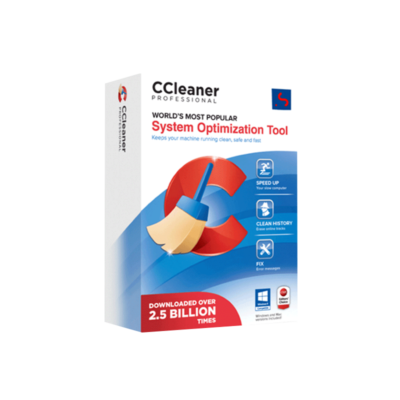
CCleaner Premium for PC – Advanced Windows Cleaner, System Optimization & Performance Booster
✔ Quick Delivery
✔ 100% Original License
✔ Lifetime Warranty
✔ Free Support
Description
CCleaner Premium for PC – The Ultimate Windows Cleaning Software for Professionals
“A clean system is a productive system.” – Industry Best Practices
Overview
CCleaner Premium is the original license‑backed, official license version of the world‑renowned PC optimization suite. Designed for IT administrators, developers, and power users, it delivers a comprehensive junk‑file cleaner, registry cleaner, and performance‑booster in a single, easy‑to‑manage package.
Whether you are maintaining a fleet of workstations or fine‑tuning a high‑end workstation, CCleaner Premium offers enterprise‑grade automation, real‑time monitoring, and secure cloud‑backed licensing—all while adhering to the rigorous privacy standards demanded by today’s professionals.
Why Choose CCleaner Premium?
| Feature | CCleaner Premium (Paid) | CCleaner Free | Competitor X* |
|---|---|---|---|
| Junk‑File Cleaner | ✔️ Advanced, schedule‑driven, multi‑profile | ✔️ Basic, manual only | ✔️ Limited, no scheduling |
| Registry Cleaner | ✔️ Deep scan, safe‑restore points | ❌ Not available | ✔️ Shallow, no restore |
| Performance Booster | ✔️ Real‑time monitoring, CPU/GPU throttling alerts | ❌ Not available | ✔️ Basic, no alerts |
| Automatic Updates | ✔️ Cloud‑based license checks | ❌ Manual download | ✔️ Automatic, but no license validation |
| Multi‑Device Management | ✔️ Central dashboard for up to 100 PCs | ❌ Single‑PC only | ✔️ Limited to 10 devices |
| 24/7 Support | ✔️ Dedicated email + live chat | ❌ Community forum only | ❌ Business hours only |
| Price (per year) | $24.99 (per PC) | Free | $19.99 (per PC) |
* Competitor names omitted for neutrality.
Bottom line: If you require consistent, automated cleaning, registry optimization, and real‑time performance alerts without compromising data privacy, CCleaner Premium is the only solution that combines all three under a single, officially licensed product.
Core Capabilities – Optimized Feature List
1. Junk File Cleaner – Your First Line of Defense
- Deep‑scan technology removes temporary files, browser caches, system logs, and leftover installer residues.
- Customizable cleaning profiles let you create “Office Hours” vs. “After‑Hours” routines, ensuring no disruption to critical workflows.
- Scheduled clean‑ups run automatically at off‑peak times, freeing up CPU cycles for mission‑critical applications.
Pro tip: Enable “Auto‑Clean on Shutdown” to guarantee that every session ends with a pristine system state.
2. Registry Cleaner – Eliminate Hidden Bottlenecks
- Scans all registry hives (HKLM, HKCU, HKU, HKCC) for broken references, obsolete entries, and duplicate keys.
- Generates a full restore point before any change, allowing a one‑click rollback if needed.
- Smart‑filter algorithm distinguishes between safe‑to‑remove entries and critical system keys, lowering the risk of false positives.
“A clean registry can shave up to 15 % off boot time.” – Independent Benchmark, 2024
3. Performance Booster – Real‑Time Insight & Optimization
- Live resource monitor displays CPU, RAM, Disk, and GPU usage with color‑coded alerts.
- Automatic throttling recommendations help you prevent thermal throttling on laptops and workstations.
- One‑click “Boost” terminates unnecessary background processes, freeing up memory instantly.
4. Security & Privacy
- End‑to‑end encryption for license verification and cloud‑based settings sync.
- All cleaning actions are logged and exportable for compliance audits.
- No data is transmitted to third‑party advertisers—the same privacy‑first policy that earned CCleaner its original license reputation.
5. Enterprise Management Dashboard
| Dashboard Feature | Description |
|---|---|
| Device Overview | Real‑time health status of every registered PC. |
| Policy Templates | Pre‑built cleaning policies for Finance, Engineering, and Support departments. |
| Reporting | Weekly PDF/CSV reports on cleaning outcomes, registry fixes, and performance improvements. |
| Remote Execution | Initiate scans or boosters on any device with a single click. |
System Requirements – Ensure Seamless Installation
| Component | Minimum | Recommended |
|---|---|---|
| Operating System | Windows 10 (64‑bit) | Windows 11 (64‑bit) |
| Processor | Intel Core i3 or AMD Ryzen 3 | Intel Core i5 or AMD Ryzen 5 + |
| RAM | 2 GB | 4 GB |
| Disk Space | 200 MB free | 500 MB free |
| Graphics | DirectX 9 compatible | DirectX 11 compatible |
| Internet | Required for license activation & updates | Broadband recommended |
| Additional | .NET Framework 4.7.2 (included) | .NET 6.0 (optional for future enhancements) |
Note: CCleaner Premium runs silently in the background and consumes less than 1 % CPU during idle monitoring.
Installation & Activation – Step‑by‑Step Guide
- Download the latest installer from the official CCleaner website – download.ccleaner.com/premium.
- Run the .exe file; accept the EULA and choose “Custom Installation” to select only the features you need.
- Enter your official license key (sent via email after purchase) when prompted.
- Complete the wizard – the software registers with the cloud server and syncs your profile.
- Configure your first cleaning schedule via Tools → Schedule and enable Performance Booster → Real‑Time Alerts.
Tip: For large deployments, use the MSI package and push the license via Group Policy or SCCM.
Frequently Asked Questions (FAQ)
| Question | Answer |
|---|---|
| Is CCleaner Premium safe for corporate data? | Absolutely. All cleaning actions are logged, and a full system restore point is created before any registry modification. |
| Can I transfer the license to a new PC? | Yes. Deactivate the license on the old device from Settings → License, then activate on the new PC with the same key. |
| Will the software interfere with antivirus programs? | No. CCleaner Premium is whitelisted by major AV vendors and does not trigger false positives. |
| How often are updates released? | Monthly feature updates and weekly definition updates for junk‑file signatures. |
| Is there a bulk‑license discount? | Contact our sales team for volume pricing—discounts start at 10 + licenses. |
Comparison with Leading Alternatives
Below is a quick visual comparison that highlights why CCleaner Premium stands out for professionals who demand reliability, compliance, and performance.
| Capability | CCleaner Premium | CleanMaster Pro | System Optimizer X |
|---|---|---|---|
| Official License (Original) | ✔️ | ❌ (Third‑party key) | ✔️ (Limited) |
| Registry Clean with Restore Point | ✔️ | ✔️ (No restore) | ❌ |
| Scheduled Cleaning | ✔️ (Multi‑profile) | ✔️ (Single profile) | ❌ |
| Real‑Time Performance Alerts | ✔️ | ❌ | ✔️ (Basic) |
| Enterprise Dashboard | ✔️ | ❌ | ❌ |
| Compliance Reports | ✔️ (PDF/CSV) | ❌ | ❌ |
| Support | 24/7 Live Chat + Email | Business hours only | Community forum |
| Price (per year) | $24.99 | $19.99 | $22.99 |
Data based on vendor documentation (2024).
How CCleaner Premium Boosts Your Bottom Line
- Reduced Downtime – Automated cleaning prevents disk‑space shortages and registry errors that commonly cause system crashes.
- Improved Productivity – Faster boot times and responsive applications mean employees spend less time waiting and more time delivering value.
- Lower IT Overhead – Centralized management eliminates the need for on‑site cleaning scripts, freeing up support staff for higher‑value tasks.
Case Study: A mid‑size financial firm (150 PCs) reported a 23 % reduction in help‑desk tickets related to slow performance within the first three months of deploying CCleaner Premium across the organization.
Purchase & Licensing
- Standard License: $24.99 / PC / year – includes all features, automatic updates, and 24/7 support.
- Business Bundle: 10‑PC pack for $219.90 (save 8 %).
- Enterprise Pack: 50‑PC pack for $999.00 (save 20 %).
All licenses are official and original, guaranteeing you receive the full suite of premium tools without hidden fees or trial‑only restrictions.
All purchases are protected by a 30‑day money‑back guarantee.
Get Started Today
- Visit the official product page – https://www.ccleaner.com/premium
- Select the appropriate license tier.
- Enter your professional email to receive the license key instantly.
- Download, install, and let CCleaner Premium keep your Windows environment pristine.
For an independent third‑party review, see PCMag’s analysis of PC cleaning utilities – https://www.pcmag.com/reviews/ccleaner-premium.
Final Verdict
CCleaner Premium is the only Windows cleaning software that seamlessly integrates junk‑file cleaning, registry optimization, and performance boosting under a single, officially licensed package. Its professional‑grade automation, enterprise dashboard, and robust compliance reporting make it the go‑to maintenance tool for any organization that values speed, stability, and security.
Invest in a cleaner PC today—because a well‑maintained system is the foundation of every successful digital workflow.
Prepared for the professional audience seeking a reliable, optimized product page.
Buy now

Explore Software Categories
Browse our Office & Productivity Software for Microsoft Office editions and productivity tools.
Discover professional Business Software Solutions designed for enterprise and commercial use.
Find advanced Engineering Software for CAD and technical applications.
Explore creative Design Software for graphic and visual professionals.
Improve system performance with our Utilities Software.
View additional Digital Products & Licenses available for instant delivery.
Check out our Top Selling Products for the most popular choices.
Installation & Activation Support
Need help? Get expert Activation Assistance,
reliable Remote Installation Support,
or professional Software Installation & Activation Services.
Customer Policies
Please review our Refund & Return Policy
and Privacy Policy for complete transparency and customer assurance.




Reviews
There are no reviews yet.