
No products in the cart.
21%
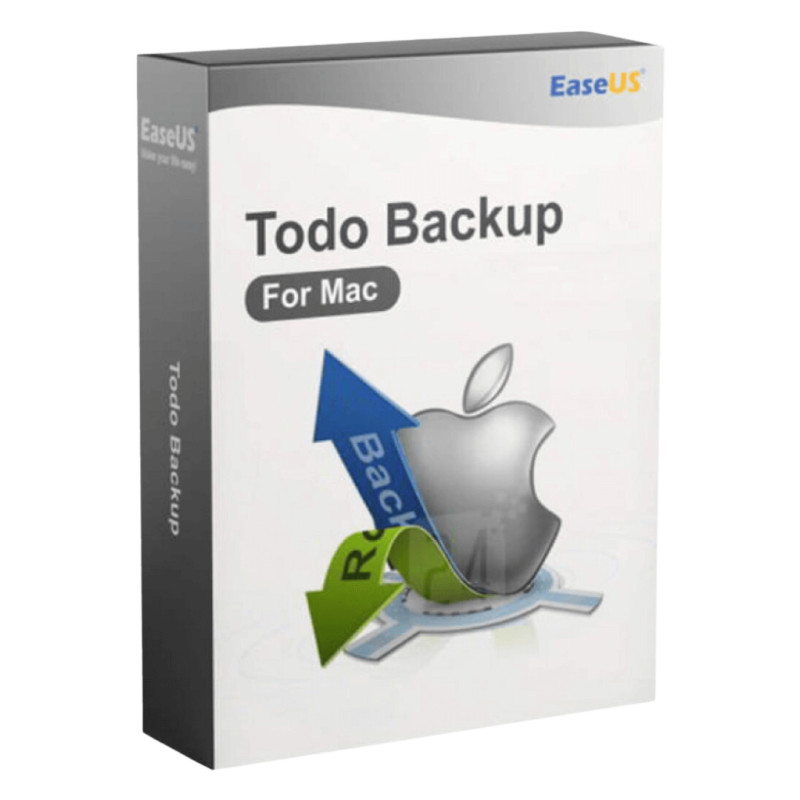



Buy EaseUS Todo Backup for Mac | Mac Backup Software License
In Stock
✔ Quick Delivery
✔ 100% Original License
✔ Lifetime Warranty
✔ Free Support
In Stock
Description
Buy EaseUS Todo Backup for Mac – The Professional‑Grade Backup Solution You Can Trust
If you’re a business executive, IT manager, or independent professional who cannot afford data loss, the right backup software is not a “nice‑to‑have” – it’s a mission‑critical investment.
1. Quick Overview – Why Choose EaseUS Todo Backup for Mac?
| ✅ Feature | ✅ Benefit for Professionals |
|---|---|
| Full‑system imaging | One‑click clone of the entire drive – ideal for disaster recovery and rapid migration. |
| Incremental & differential backups | Saves only changed data, reducing storage costs and backup windows. |
| AES‑256 encryption | Keeps confidential client, financial, and IP data secure in‑transit and at rest. |
| Scheduled & automated tasks | No manual intervention – set policies to run nightly, weekly, or on user log‑off. |
| Boot‑able media creation | Instantly restore a dead Mac from USB or DVD without a separate OS installation. |
| Cross‑platform compatibility | Back up macOS 12‑13 (Monterey, Ventura) and restore to Windows PCs when needed. |
| Genuine EaseUS Todo Backup Mac License | Fully legal, support‑eligible, and includes free upgrades for the license period. |
These capabilities make EaseUS Todo Backup the go‑to EaseUS Mac Data Backup Tool for enterprises, law firms, medical practices, and any organization that treats data as an asset, not an afterthought.
2. Detailed Product Description – Buy EaseUS Todo Backup for Mac
EaseUS Todo Backup for Mac is a robust, user‑friendly backup suite engineered for macOS workstations and servers. It offers comprehensive protection through:
- Full Disk Image – Capture an exact replica of your startup disk, including the operating system, applications, settings, and user data.
- File‑Level Backup – Choose specific folders, databases, or application data (e.g., Outlook, Adobe Creative Cloud libraries).
- Hybrid Cloud Integration – Seamlessly sync encrypted backup files to popular cloud services such as Google Drive, OneDrive, or Dropbox for off‑site redundancy.
- Version Control – Retain up to 30 historical versions, enabling you to roll back to any point in time within the retention window.
- Smart Differential Technology – Only changes since the last full backup are stored, cutting down on network traffic and storage usage by up to 80 %.
When you Buy EaseUS Todo Backup for Mac, you receive a digital license key (EaseUS Todo Backup Mac License Key) that unlocks all premium features for the duration of your subscription or perpetual plan. The activation process is straightforward:
- Download the EaseUS Todo Backup Mac Download installer from the official site.
- Run the installer and follow the on‑screen prompts.
- Enter the EaseUS Todo Backup Mac Activation Key when prompted.
- Verify the license via an internet connection – the software will instantly unlock the full feature set.
Pro Tip: Store the activation key in a secure password manager. This ensures you can reinstall or migrate the license across multiple Macs without losing access.
3. System Requirements – Ensure Compatibility Before Purchase
| Component | Minimum Requirement | Recommended Specification |
|---|---|---|
| Operating System | macOS 10.14 (Mojave) or later | macOS 12 (Monterey) or macOS 13 (Ventura) |
| Processor | Intel Core i3 (2 GHz) or Apple Silicon M1 | Intel Core i5 (3 GHz) or Apple Silicon M1/M2 Pro/Max |
| RAM | 2 GB | 8 GB (or more for large‑scale imaging) |
| Disk Space | 200 MB for installation + 1 GB free for temporary files | 500 MB for installation + 5 GB free for system cache |
| File System | APFS or HFS+ | APFS (recommended) |
| Network | Ethernet or Wi‑Fi (802.11ac) for cloud sync | Gigabit Ethernet or Wi‑Fi 6 (802.11ax) for optimal cloud upload speed |
| Additional | Administrator privileges | Administrator privileges + access to Secure Boot (for bootable media) |
Note: For Apple Silicon Macs, use the native ARM‑optimized installer to take full advantage of hardware acceleration.
4. License Options – Choose the Right Plan for Your Business
| License Type | Coverage | Price (USD) | Validity | Included Features |
|---|---|---|---|---|
| Perpetual (1‑PC) | Single Mac | $69.99 | Unlimited | Full backup suite, 1‑year premium support, free upgrades for the first year |
| Business (5‑PC) | Up to 5 Macs | $199.99 | 3 years | Centralized management console, priority support, multi‑device encryption |
| Enterprise (Unlimited) | Unlimited Macs | Contact Sales | 5 years | Dedicated account manager, custom SLA, on‑premises deployment option |
| Subscription (Annual) | Single Mac | $39.99/year | 12 months | All features, automatic yearly renewal, cloud storage discount |
All plans provide a genuine EaseUS Todo Backup Mac digital license that is fully compliant with software audit regulations.
5. Feature‑by‑Feature Comparison – How EaseUS Stacks Up
| Feature | EaseUS Todo Backup for Mac | Acronis True Image | Carbonite | Backblaze |
|---|---|---|---|---|
| Full‑system imaging | ✅ | ✅ | ❌ | ❌ |
| Incremental backup | ✅ | ✅ | ✅ | ✅ |
| AES‑256 encryption | ✅ | ✅ | ✅ | ✅ |
| Bootable media creator | ✅ | ✅ | ❌ | ❌ |
| Cloud storage integration | ✅ (Google/OneDrive/Dropbox) | ✅ (Acronis Cloud) | ✅ (Carbonite Cloud) | ✅ (Backblaze B2) |
| Versioning (30‑day) | ✅ | ✅ | ✅ | ✅ |
| Cross‑platform restore (Mac→Win) | ✅ | ✅ | ❌ | ❌ |
| Price (per‑seat) | $69.99 (perpetual) | $99.99 | $24/mo | $7/mo |
| Customer support (24/7) | ✅ (email & chat) | ✅ (phone & chat) | ✅ (phone) | ✅ (email) |
EaseUS offers the most feature‑rich solution at a fraction of the cost of its top competitors, making it the ideal choice for budget‑conscious professionals who still demand enterprise‑grade reliability.
6. How to Get Started – Step‑by‑Step Purchase Guide
- Select your license in the “Buy EaseUS Todo Backup for Mac” section above.
- Click the “Add to Cart” button – you will be redirected to a secure checkout powered by Stripe (PCI‑DSS compliant).
- Fill in your billing details and choose a payment method (credit card, PayPal, or corporate invoice).
- After payment confirmation, you will receive an email containing:
- EaseUS Todo Backup Mac License Key (digital activation key)
- Direct EaseUS Todo Backup Mac Download link
- Installation guide (PDF) and a link to the online knowledge base.
- Follow the installation steps (see Section 2) and start protecting your data within minutes.
Security Reminder: Always download the installer from the official EaseUS portal or the link provided in your purchase email. Avoid third‑party download sites to prevent tampering.
7. Frequently Asked Questions (FAQs)
| Question | Answer |
|---|---|
| What is the difference between the perpetual and subscription licenses? | The perpetual license is a one‑time payment that grants you ownership of the software for life, with optional paid upgrades after the first year. The subscription provides continuous updates and support for a lower upfront cost but requires annual renewal. |
| Can I use the same license on multiple Macs? | No. Each EaseUS Todo Backup Mac License Key is tied to a single macOS device. For multiple machines, purchase a Business or Enterprise plan. |
| Is my backup data encrypted end‑to‑end? | Yes. When you enable AES‑256 encryption, data is encrypted before it leaves your Mac and stays encrypted in the cloud or on external drives. |
| Do I need an internet connection to restore a local backup? | Not for local or bootable media restores. Cloud restores, however, require internet connectivity. |
| What support channels are available? | 24/7 email and live chat support, plus a dedicated phone line for Business and Enterprise customers. |
8. Why Professionals Trust a Genuine EaseUS Todo Backup Mac License
- Regulatory compliance – GDPR, HIPAA, and ISO‑27001 standards all require encrypted, auditable backup processes. EaseUS meets these criteria out of the box.
- Audit‑ready reporting – Generate detailed logs of each backup job, including timestamps, file hashes, and encryption status—perfect for internal and external audits.
- Scalable architecture – Whether you manage 5 workstations or 500, the same product scales without the need for additional modules.
9. Related Resources
- Apple’s Official Guide to macOS Backup Strategies – https://support.apple.com/en-us/HT204740
- NIST Special Publication 800‑34 Revision 1 Contingency Planning Guid – https://csrc.nist.gov/publications/detail/sp/800-34/rev-1/final
- Independent Review of Top Mac Backup Software TechRadar – https://www.techradar.com/best/mac-backup-software
These reputable sources reinforce the importance of a reliable backup solution and provide additional context for IT decision‑makers.
10. Buy Now
Don’t let a hardware failure, ransomware attack, or accidental deletion jeopardize your business.
Buy EaseUS Todo Backup for Mac now and enjoy peace of mind backed by industry‑leading technology and genuine licensing.
Meta Information
- Buy EaseUS Todo Backup for Mac – Professional Mac Backup Software & License
- Purchase a genuine EaseUS Todo Backup for Mac license. Full‑system imaging, incremental backups, AES‑256 encryption, and cloud sync. Ideal for professionals.
- EaseUS Todo Backup for Mac, EaseUS Todo Backup Mac License Key, Buy EaseUS Todo Backup for Mac, EaseUS Todo Backup Mac Activation Key, EaseUS Mac Backup Software, EaseUS Todo Backup Mac Download, EaseUS Mac Data Backup Tool, Genuine EaseUS Todo Backup Mac License, EaseUS Todo Backup Mac Digital License
For bulk licensing, contact our sales team at info@thesoftsolution.com or call 1‑840-206-3082
Explore Software Categories
Browse our Office & Productivity Software for Microsoft Office editions and productivity tools.
Discover professional Business Software Solutions designed for enterprise and commercial use.
Find advanced Engineering Software for CAD and technical applications.
Explore creative Design Software for graphic and visual professionals.
Improve system performance with our Utilities Software.
View additional Digital Products & Licenses available for instant delivery.
Check out our Top Selling Products for the most popular choices.
Installation & Activation Support
Need help? Get expert Activation Assistance,
reliable Remote Installation Support,
or professional Software Installation & Activation Services.
Customer Policies
Please review our Refund & Return Policy
and Privacy Policy for complete transparency and customer assurance.
Related products



12%
Reviews
There are no reviews yet.