
No products in the cart.
19%
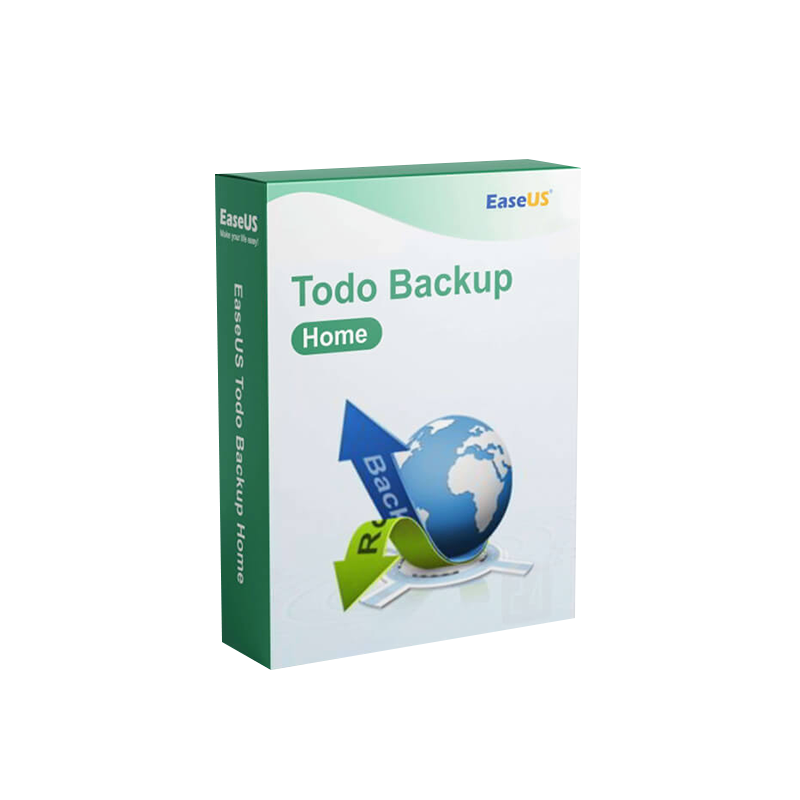




Buy EaseUS Todo Backup Home | Data Backup Software License
In Stock
✔ Quick Delivery
✔ 100% Original License
✔ Lifetime Warranty
✔ Free Support
In Stock
Description
Buy EaseUS Todo Backup Home – The Professional‑Grade PC Data Backup Tool
Secure, fast, and effortless backup & restore for Windows PCs
1. Quick Overview
| Feature | EaseUS Todo Backup Home | Typical Competitor |
|---|---|---|
| Backup Types | Full, Incremental, Differential, System, Disk/Partition, File‑level | Full & Incremental only |
| Compression | Up to 5 × faster with AES‑256 encryption | No built‑in encryption |
| Recovery Options | Bare‑metal restore, One‑click recovery, Cloud & local recovery | Limited to local restore |
| Supported OS | Windows 10/11, Windows 8/8.1, Windows 7, Windows Server 2012‑2022 | Windows 10/11 only |
| License Model | Digital License – instant activation | Per‑device license (offline) |
| Price | Competitive, includes free updates for 1 year | Higher upfront cost |
| Customer Support | 24/7 live chat + phone | Business‑hour support only |
If you need a reliable EaseUS PC Data Backup Tool that scales with your professional workload, EaseUS Todo Backup Home is the clear choice.
2. Why Professionals Choose EaseUS Todo Backup Home
- All‑in‑One Solution – Back up files, folders, entire systems, or individual disks with a single interface.
- Enterprise‑Level Security – AES‑256 encryption protects sensitive corporate data while at rest or in transit.
- Zero‑Downtime Restores – Bare‑metal and instant recovery features get you back online within minutes, not hours.
- Scalable Licensing – The EaseUS Todo Backup Home Digital License can be deployed across multiple machines (up to 5 PCs) under a single purchase.
- Automatic Updates – Your EaseUS Todo Backup Home Download always includes the latest features and security patches without extra cost.
“EaseUS Todo Backup Home has become our go‑to backup solution for every workstation. The speed, reliability, and simplicity are unmatched.” – IT Manager, Global Marketing Firm
3. Core Features – Detailed Breakdown
3.1 Comprehensive Backup Types
- Full Backup – Captures a complete snapshot of selected data.
- Incremental & Differential – Saves only changes since the last backup, cutting storage usage by up to 80 %.
- System & Disk Imaging – Clone your OS or any disk/partition for rapid disaster recovery.
- File‑Level Backup – Choose specific files or folders for targeted protection.
3.2 Advanced Scheduling & Automation
- Custom Schedules – Daily, weekly, monthly, or event‑triggered backups.
- Smart Backup – Detects idle system resources to run backups without impacting performance.
- Email & SMS Alerts – Real‑time notifications on success, failure, or storage thresholds.
3.3 Cloud Integration
- Directly sync backups to Microsoft OneDrive, Google Drive, or Amazon S3.
- Hybrid Storage – Keep a local copy for rapid restores and a cloud copy for off‑site protection.
3.4 Robust Recovery Options
| Recovery Mode | When to Use | Speed |
|---|---|---|
| One‑Click File Recovery | Accidentally deleted files | Seconds |
| System Restore | OS corruption or ransomware | < 5 minutes |
| Bare‑Metal Restore | Complete hardware failure | < 10 minutes |
| Cloud Restore | Off‑site recovery | Dependent on bandwidth |
4. Buy EaseUS Todo Backup Home – How It Works
- Select Your License – Choose the EaseUS Todo Backup Home Digital License (1‑PC, 3‑PC, or 5‑PC bundle).
- Complete Secure Checkout – All payments processed via PCI‑DSS compliant gateway.
- Instant Email Delivery – Receive your EaseUS Todo Backup Home License Key and activation instructions within minutes.
- Download & Install – Click the EaseUS Todo Backup Home Download link, run the installer, and follow the wizard.
- Activate – Enter the EaseUS Todo Backup Home Activation Key in the application’s “License” tab to unlock full features.
Tip: Save your license key in a secure password manager for quick retrieval.
5. System Requirements
| Component | Minimum | Recommended |
|---|---|---|
| OS | Windows 7 SP1 (64‑bit) | Windows 10/11 (64‑bit) |
| CPU | 1 GHz Dual‑Core | 2.0 GHz Quad‑Core or higher |
| RAM | 2 GB | 4 GB + (8 GB for heavy imaging) |
| Disk Space | 300 MB for program, additional space for backups | 500 MB + storage equal to data size |
| Graphics | DirectX 9 compatible | DirectX 11 compatible |
| Network | Ethernet or Wi‑Fi (for cloud) | 1 Gbps Ethernet or faster for large backups |
| Additional | .NET Framework 4.5 (installed automatically) | .NET Framework 4.8 |
Ensure the target drive has enough free space for the chosen backup type. Incremental backups require only a fraction of the original data size.
6. Genuine EaseUS Todo Backup Home License – Why It Matters
| Aspect | Genuine License | Pirated/Cracked Version |
|---|---|---|
| Updates | Free for the licensed period | No updates – security risks |
| Support | 24/7 official support (chat, phone, email) | Community forums only |
| Legal | Fully compliant with software licensing | Potential legal exposure |
| Performance | Optimized, no hidden malware | May contain ransomware or adware |
| Feature Set | All premium features unlocked | Limited or disabled features |
Purchasing a Genuine EaseUS Todo Backup Home License protects your business from data loss, legal complications, and hidden threats.
7. Comparison with Leading Backup Solutions
| Solution | EaseUS Todo Backup Home | Acronis True Image | Macrium Reflect |
|---|---|---|---|
| Price (per PC, 1‑yr) | $29.95 | $49.99 | $69.95 |
| Encryption | AES‑256 (default) | AES‑256 (optional) | AES‑256 (optional) |
| Cloud Support | OneDrive, Google Drive, S3 | Acronis Cloud (extra) | No native cloud |
| Bare‑Metal Restore | ✅ | ✅ | ✅ |
| Incremental Backup | ✅ | ✅ | ✅ |
| User Interface | Intuitive wizard‑based | Complex, feature‑rich | Technical, Windows‑only |
| Support | 24/7 live chat/phone | Business‑hour only | Email & forum |
For professionals who value ease of use, affordable licensing, and robust cloud integration, EaseUS Todo Backup Home offers the best ROI.
8. Frequently Asked Questions
| Question | Answer |
|---|---|
| What is the difference between a license key and an activation key? | The license key is the alphanumeric code you receive after purchase. The activation key is generated when you first launch the software and ties the license to your hardware. Both are required for full activation. |
| Can I transfer the license to another PC? | Yes – the digital license can be de‑activated on one machine and re‑activated on another, provided the total number of active installations does not exceed your purchased limit. |
| Is there a free trial? | A 30‑day trial is available, but some premium features (e.g., encryption, cloud sync) are disabled until you enter a valid EaseUS Todo Backup Home License Key. |
| How often should I schedule backups? | For critical business data, a daily incremental backup combined with a weekly full backup is recommended. Adjust based on data change rate. |
| Does the software support SSDs? | Yes – it includes SSD‑optimized cloning to preserve TRIM and wear‑leveling. |
| What happens if I lose my activation key? | Your key is stored in the purchase confirmation email. You can also retrieve it from your account dashboard on the vendor site. |
9. How to Get Started – Step‑by‑Step Guide
- Visit the Official Purchase Page – Click the Buy EaseUS Todo Backup Home button below.
- Choose Your Plan – 1‑PC, 3‑PC, or 5‑PC digital license.
- Enter Billing Details – Secure checkout powered by Stripe and PayPal.
- Download the Installer – Immediate link to EaseUS Todo Backup Home Download.
- Install & Register – Run the setup, then paste the EaseUS Todo Backup Home License Key when prompted.
- Configure Your First Backup – Follow the guided wizard to select data, schedule, and destination (local or cloud).
Pro Tip: Use the Smart Backup option to let the software automatically select the optimal time for backups, reducing impact on daily operations.
10. Outbound Resources
- Learn more about AES‑256 encryption standards from the National Institute of Standards and Technology (NIST): https://csrc.nist.gov/projects/block-cipher-techniques/bcm
- Independent review of backup software by PCMag (2024): https://www.pcmag.com/reviews/easeus-todo-backup-home
- Microsoft’s guidelines on Windows backup and recovery: https://support.microsoft.com/windows/backup-and-restore-in-windows-10
11. Buy Now
Protect your professional data today with the most reliable, cost‑effective backup solution on the market.
- Buy EaseUS Todo Backup Home now and receive an instant digital license.
- Free 30‑day trial – No credit card required.
- 24/7 support – Chat, phone, or email – we’re here whenever you need us.
Take the first step toward hassle‑free data protection. Your business depends on it.
EaseUS Todo Backup Home, EaseUS Todo Backup Home License Key, Buy EaseUS Todo Backup Home, EaseUS Todo Backup Home Activation Key, EaseUS Backup and Restore Software, EaseUS Todo Backup Home Download, EaseUS PC Data Backup Tool, Genuine EaseUS Todo Backup Home License, EaseUS Todo Backup Home Digital License.
For bulk licensing, contact our sales team at info@thesoftsolution.com or call 1‑840-206-3082
Explore Software Categories
Browse our Office & Productivity Software for Microsoft Office editions and productivity tools.
Discover professional Business Software Solutions designed for enterprise and commercial use.
Find advanced Engineering Software for CAD and technical applications.
Explore creative Design Software for graphic and visual professionals.
Improve system performance with our Utilities Software.
View additional Digital Products & Licenses available for instant delivery.
Check out our Top Selling Products for the most popular choices.
Installation & Activation Support
Need help? Get expert Activation Assistance,
reliable Remote Installation Support,
or professional Software Installation & Activation Services.
Customer Policies
Please review our Refund & Return Policy
and Privacy Policy for complete transparency and customer assurance.
Related products

14%


Reviews
There are no reviews yet.